“I've been using the scanner app for years and it's hands-down. The best app that I have ever used I don't plan on switching.”
— Kixx2000
“Great resource that is simple to use in a flash at any location. Thank you for the product!!!”
— Montana Hiker
“Works great every time! Easy to use and send scanned docs.”
— Eyelashazillion
Inside Scan Hero
Every tool you need from scan to sent
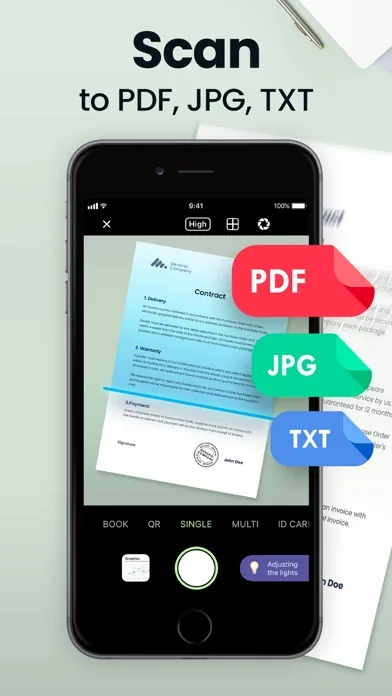
Scan to PDF, JPG, or TXT in Seconds
Point your camera at any document and Scan Hero auto-detects the edges, corrects perspective, and saves it as a crisp PDF, JPG, or text file. Choose Low, Medium, or High quality to balance file size and clarity.
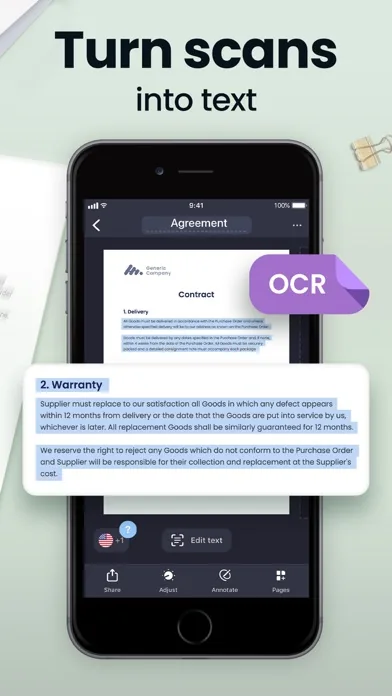
OCR: Turn Scans into Editable Text
Extract typed or printed text from any scanned document using built-in OCR. Supports 15 languages including English, Spanish, French, German, and Japanese — so you can search, copy, and edit what you scan.
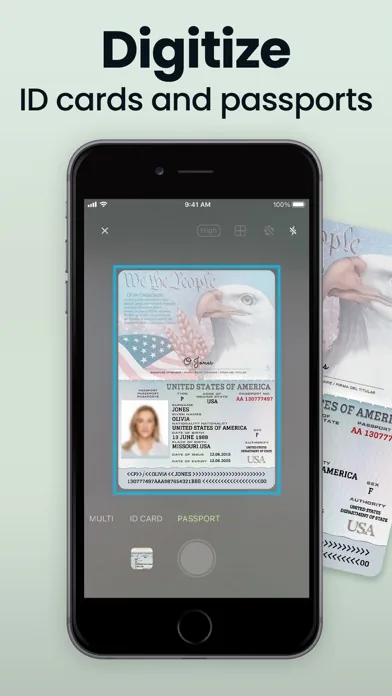
Digitize Passports and ID Cards
Dedicated Passport and ID Card camera modes frame and capture your identity documents precisely — no cropping guesswork. Perfect for onboarding forms, visa applications, or keeping a secure digital copy.
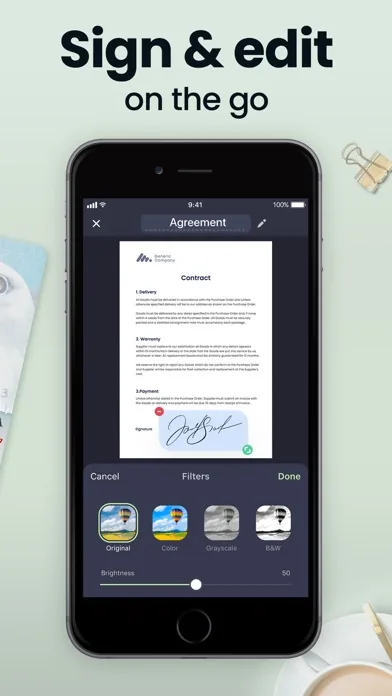
Sign Documents Right on Your Screen
Create and save your signature once, then apply it to any contract or form directly inside the app. Adjust filters, brightness, and color so every signed document looks polished before you send it.
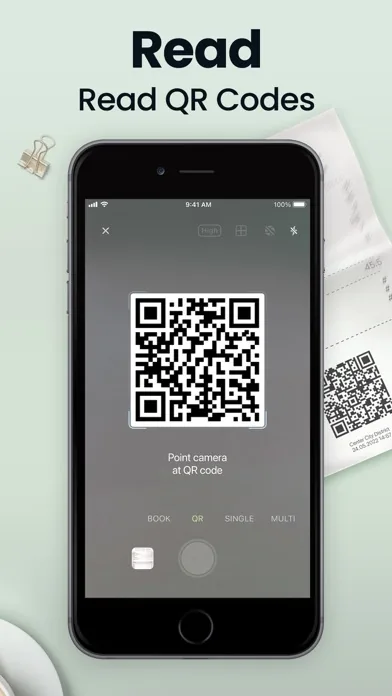
QR Code Reader Built Right In
Switch to QR mode and point your camera at any code. Scan Hero reads it instantly without leaving the app or switching to a separate scanner tool.
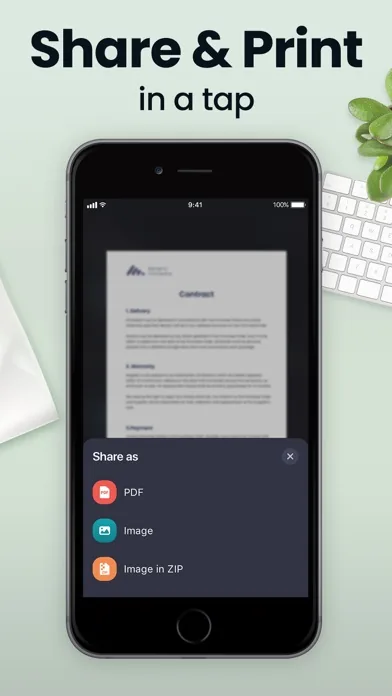
Share as PDF, Image, or ZIP in One Tap
When you're done, export your document in the format your recipient needs — PDF, Image, or Image in ZIP. Send via Mail, iMessage, or any share sheet destination, individually or bundled into one file.
Who It's Built For
Scan Hero for the way you actually work
01·For
Freelancers and remote workers
Client contracts, invoices, and NDAs pile up fast when you work remotely. Scan Hero lets you capture, sign, and return documents from wherever you are — no printer, no scanner, no office required. Share as PDF directly from your phone the moment the deal is done.
02·For
Small business owners
Receipts, invoices, supplier agreements — paperwork piles up fast. Scan Hero gives you a single place to capture, organize, and share business documents. Multi-page PDF support and iCloud sync mean your files are always at hand, on any device.
03·For
Students and academics
Book Mode scans two-page spreads in one shot, so you can digitize textbook chapters without pressing the spine flat on a copier. OCR makes those pages searchable, and iCloud keeps everything in sync across your iPhone and iPad.
04·For
Travelers and frequent flyers
Passport and ID Card modes are built for exactly this: capturing your travel documents cleanly before a trip. Store a secured digital copy protected by Face ID so you always have a backup, even when the original is tucked away.
05·For
Administrative and HR professionals
Collecting signed forms, certificates, or onboarding paperwork from a distributed team is tedious. Scan Hero's bulk-share feature lets you combine multiple scans into one PDF and send it in a single message — cutting the back-and-forth down to one step.
Before You Download
Real questions about Scan Hero, answered
What file formats can Scan Hero export?
Scan Hero exports documents as PDF, JPG (image), or TXT. When sharing, you can send files individually or bundle multiple scans into a single PDF. The ZIP option is available for sharing multiple images at once.
Does Scan Hero work without a subscription?
Yes. Core scanning features — including automatic edge detection, manual scan, quality adjustment, and basic sharing — are available for free. Premium features like OCR text extraction, HD quality, e-signatures, the Hide tool, and unlimited scanning require a subscription.
Which languages does the OCR feature support?
OCR supports 15 languages: English, Simplified Chinese, Traditional Chinese, Spanish, Turkish, Russian, French, Italian, German, Dutch, Swedish, Polish, Norwegian, Japanese, and Portuguese. Language detection is applied automatically during text extraction.
Can I scan multi-page documents into a single PDF?
Yes. Use Multi Mode to capture two pages at once, or scan pages one at a time and combine them. You can reorder pages within the app before exporting the finished multi-page PDF.
How do I add my signature to a scanned document?
In the Premium tier, open any scan, tap the Annotate toolbar, and choose the signature tool. You can create and save multiple signatures and apply them wherever needed in the document. The signature is embedded before you export.
Is my data secure? Can I protect files with a password?
You can lock the app with Face ID or a passcode to prevent unauthorized access. Files synced to iCloud follow Apple's standard encryption. The Hide tool (Premium) lets you redact sensitive information directly in a scan before sharing.
Can Scan Hero sync across my iPhone and iPad?
Yes. Scan Hero syncs your documents via iCloud across all your iOS devices. Scans you capture on your iPhone appear on your iPad automatically, as long as you're signed in to the same Apple ID.
What camera modes are available in Scan Hero?
Scan Hero includes six camera modes: Single (one page), Multi (two pages at once), Book (two-page spread), ID Card, Passport, and QR Code reader. Each mode is optimized for its document type, so you get the right framing automatically.
Your pocket scanner is one download away
Join 29 million people who scan, sign, and share documents from their phone. Download Scan Hero free and handle your paperwork wherever you are — no bulky equipment, no desk required.